
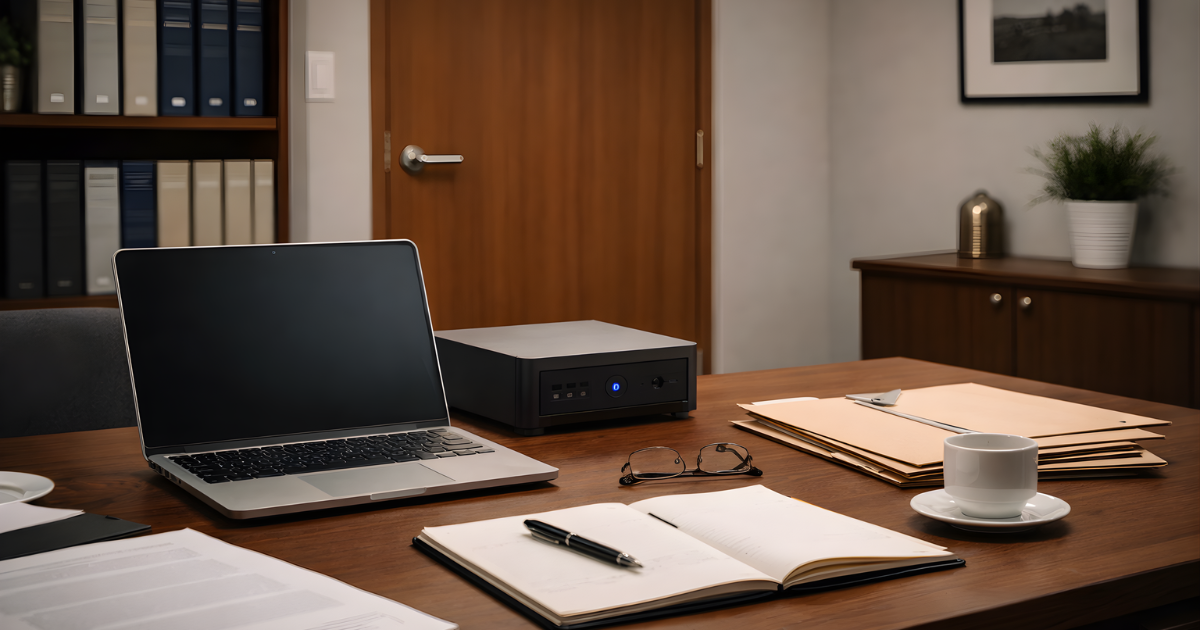
A practical guide to private, local AI for solo and small firm lawyers. The technology can run entirely on your own hardware without compromising the confidences your clients entrust to you.
Full disclosure: I almost convinced myself I needed to buy the new Apple MacBook Max M5 with 128GB of unified memory. Couldn't live without it. The Canadian price is $7,699. I justified the cost by assuming a three-year work life, bringing the cost down to $214 per month. A daily driver tool at $214 a month is a bargain. I want you to understand that context before I spend the rest of this article explaining why most lawyers considering the same should consider other options first.
That $7,699 machine is not a bad purchase. It is a spectacular piece of engineering: a laptop capable of running frontier-grade artificial intelligence models on-device, with the potential to keep highly sensitive work on hardware you control private when the surrounding environment is configured properly. It will do everything this article describes, and it will do it faster and more elegantly than most lower-cost alternatives.
But technology purchases in a law practice have to be justified by the work they support. A boutique litigation firm does not need the infrastructure of a machine learning research lab. And the real discovery of the past eighteen months, largely unreported in legal trade publications, is this:
This article is the guide I wish I had had two years ago. It explains why local AI is not just a privacy preference but a professional responsibility issue, what it actually means to run a language model on your own hardware, and the most practical paths to doing it at a price point that makes sense for a bootstrapping practitioner.
The length of what follows reflects the seriousness of the subject. This is a framework for thinking about artificial intelligence, client confidentiality, and the economics of technology adoption in modern legal practice, not a buying guide.
Lawyers can now run genuinely capable artificial intelligence models privately and locally, on modest hardware, for well under $2,000 CAD. The $7,699 machine gets all the press. The $1,300 machine gets the work done.
Part One: The Professional Responsibility Argument
Before discussing hardware, it is worth being precise about why this matters. The enthusiasm for AI tools in legal practice is well founded. The technology can do genuinely useful things. The professional responsibility dimensions, however, deserve more careful attention than they typically receive.
The Architecture Problem with Cloud AI
When a lawyer uses a cloud-based AI tool, ChatGPT, Claude, Gemini, Copilot, or any of their competitors in their standard consumer or small-business configurations, a specific sequence of events occurs. The lawyer types a prompt. That prompt, along with whatever document content or context accompanies it, is transmitted across the internet to servers operated by the provider. The model processes the information on those servers. A response is generated and returned.
Every step in that sequence involves a transfer of information to infrastructure the lawyer does not control, potentially to a jurisdiction that differs from the one the client is in, and subject to terms of service the client never reviewed or negotiated.
Bar associations across North America have been grappling with this reality at varying speeds. The concerns they raise tend to cluster around three questions.
- Has the lawyer taken reasonable steps to prevent unauthorized disclosure of confidential client information?
- Has the lawyer adequately supervised the use of technology that affects client matters?
- Has the client's confidential information been disclosed to a third party without consent or without other safeguards sufficient in the circumstances?
AI providers have responded to these concerns with a range of enterprise offerings: data processing agreements, retention limits, jurisdictional commitments, and assurances that prompts will not be used to train future models. Some of these offerings are genuine and well-constructed. Lawyers who use enterprise-tier AI tools with proper data processing agreements are in a materially different position than those using consumer products.
But even the best enterprise AI agreement has a structural limitation: the information still leaves the lawyer's system. The lawyer is trusting a third party's security practices, retention policies, contractual commitments, and technical implementation. The client's confidential information exists, even temporarily, on someone else's infrastructure.
The Local AI Solution
A locally running model changes the architecture materially. The model weights, the billions of numerical parameters that constitute the AI, are downloaded once to the lawyer's own hardware. From that point forward, prompts, documents, and responses can be processed on the local machine rather than on a third-party server. If the surrounding environment is configured carefully, that can materially reduce third-party exposure and give the lawyer much tighter control over where client information resides.
The client's 300-page discovery production can be fed to the model for summarization. The five-year-old contract can be reviewed for unusual clauses. The draft pleading can be critiqued for structural coherence. All of that can happen locally, without routine dependence on a cloud AI provider for the inference step itself.
For confidentiality and privilege, this is often the cleaner architecture because it may reduce the third-party disclosure concerns that arise when client material is processed on outside infrastructure. It does not eliminate the need to assess privilege, internal access, document handling, backups, or any other part of the surrounding workflow.
It is not a perfect solution to every confidentiality concern. Device security, access control, backup management, telemetry, synced folders, and local network exposure remain important. But local AI can remove one of the largest uncertainties in the current landscape: routine dependence on a third-party cloud provider for the core processing step.
A Note on Candour
Lawyers reading this article should not treat it as legal advice about their specific professional obligations. Rules of professional conduct vary by province and jurisdiction. The analysis above reflects the general framework. Lawyers should review the guidance issued by their own law society and, where questions arise, seek advice from professional responsibility counsel. The technology question and the professional responsibility question are related but distinct.
Part Two: What Local AI Actually Is
The phrase 'local AI' is used loosely. It is worth being precise about what it means in practice, because the precision matters when evaluating hardware options.
In this article, 'local' means the model performs inference on hardware controlled by the lawyer. It does not mean every surrounding component is automatically local or private. Storage paths, backup destinations, telemetry, remote access tools, sync settings, and any connected applications still have to be reviewed separately.
The Three Components of a Local AI System
Running a language model locally requires three things working together.
1. The Model
A large language model is, at its core, a very large file, typically between 4GB and 40GB depending on its parameter count and how it has been compressed. It contains billions of numerical values that collectively encode the model's learned representations of language, logic, and knowledge.
Models are available in different sizes, measured in 'parameters.' A 7-billion-parameter model is substantially smaller than a 70-billion-parameter model. Size correlates roughly with capability, though the relationship is not linear and improvements in training technique mean that newer smaller models often outperform older larger ones. For practical legal work, models in the 7B to 14B range are the most realistic starting point for hardware under $2,000 CAD.
Several excellent models are freely available for local use. Qwen 3 (14B), Meta's Llama 3.1 (8B), and Mistral Nemo (12B) are among the stronger performers in this range for document analysis and drafting tasks. These are not experimental prototypes. They are the products of substantial research investment by teams at major technology companies, released for public use. Before using any model in practice, however, it is worth confirming the model's licence, provenance, and update history.
2. The Software Interface
Two applications have made local AI genuinely accessible to non-technical users: LM Studio and Ollama.
LM Studio (lmstudio.ai) provides a polished graphical interface. A lawyer with no programming background can install it, browse a catalogue of available models, download one with a single click, and begin chatting with it within minutes. Documents can be dragged and dropped into the conversation. The interface is clean and professional.
Ollama (ollama.com) is more technical but extremely powerful. It runs as a background service and can be accessed from any application on the machine, including through a web browser. Developers building custom legal AI tools often use Ollama as their backend. For most lawyers, LM Studio is the right starting point.
Both are free. Both run on Mac, Windows, and Linux. Neither requires any ongoing subscription or account.
3. The Hardware
This is where most explanations go wrong. Hardware requirements for local AI are frequently described in terms drawn from gaming or video production workloads. Those descriptions are misleading for lawyers.
Running a language model is not like rendering video or playing a modern game. It is a memory-intensive mathematical operation: loading a large set of parameters into memory and repeatedly performing arithmetic on them to predict the next token of text. The characteristics that matter most are not processor speed or graphics capability in the traditional sense. They are memory capacity and memory bandwidth.
Why Memory Is Everything
Memory capacity determines which models you can run. A 14-billion-parameter model, compressed using modern techniques, requires approximately 9 to 14GB of memory. If your hardware has less memory available than the model requires, the model either will not load or will run with severely degraded performance.
Memory bandwidth determines how fast the model thinks. This is the speed at which the processor can read data from memory. A model that fits comfortably in memory on a slow system will still generate responses slowly if the bandwidth is constrained. This is why a modern Mac Mini with unified memory often outperforms a Windows laptop with the same RAM. Apple's architecture provides much higher bandwidth between processor and memory.
Your practical rule for hardware selection: 32GB of memory is the absolute minimum for useful local AI. Systems with 16GB or 24GB will disappoint you. Systems with 64GB will give you access to the most capable models available at this price range.
What These Models Can Actually Do in Legal Practice
Before discussing specific hardware, it is worth grounding the conversation in the reality of what these tools do well, and what they do not. These technical constraints matter only because they determine whether the machine can do the kinds of work lawyers actually care about. The enthusiasm surrounding AI tools in legal practice sometimes obscures a basic distinction: the difference between language tasks and legal judgment tasks.
Local AI models in the 8B to 14B range perform well at the following:
- Summarizing lengthy documents into structured, hierarchical summaries
- Identifying recurring themes, factual patterns, and apparent inconsistencies across document sets
- Highlighting unusual clauses, undefined terms, and structural anomalies in contracts
- Generating structured first-draft outlines for research memoranda, factums, and client letters
- Extracting and organizing key dates, parties, and obligations from agreements
- Critiquing draft documents for logical structure and internal consistency
- Translating complex technical content into plain language for client communications
They perform poorly at the following:
- Producing reliable legal citations: models frequently hallucinate cases that do not exist
- Applying jurisdiction-specific rules with precision: they generalize
- Exercising judgment about litigation strategy or transaction structure
- Replacing the experienced lawyer's intuition about what a sophisticated counterparty is trying to accomplish
The honest framing is this: a well-configured local AI system is a highly capable junior assistant. It does not know your client, does not know your judge, and does not know what your opponent did in the last proceeding. But it can read a 200-page document faster than any human, organize what it finds coherently, and give you a structured starting point that cuts review time substantially.
For a solo practitioner or small firm lawyer billing by the hour, that matters. Not because it replaces judgment, it does not, but because it frees time for the judgment that only you can provide.
Part Three: The Hardware — Three Practical Paths
With the professional responsibility argument established and the technology explained, the hardware question becomes concrete. There is no single correct answer. The right configuration depends on how and where the lawyer works.
What follows is an honest assessment of three configurations, each of which can be acquired for under $2,000 CAD and each of which will run useful legal AI today. Most legal workflows do not require the largest available models. They require a system that can summarize, compare, structure, and critique documents reliably enough to save time while preserving tighter control over client information. That is why capable lower-cost hardware is often sufficient.
- Apple Mac Mini (M4 or M5 — current generation)
- 32GB unified memory — mandatory minimum
- 64GB unified memory — strongly preferred if budget allows
- 512GB internal storage (use external drives for client files)
- No GPU upgrade required — architecture handles it natively
- Genuinely simple setup — minutes, not hours
- Silent under all workloads
- Apple unified memory = highest bandwidth for the price
- Runs 14B models smoothly; 64GB version handles 32B models
- Energy efficient — negligible electricity cost
- Professional aesthetics appropriate for client-facing offices
- Does not leave the desk — no courtroom utility
- Requires external monitor, keyboard, mouse
- Upgrading RAM after purchase is not possible
PATH 1: The Mac Mini Workstation
(Plug-and-play simplicity for the office-based practitioner)
Apple's unified memory architecture deserves a specific explanation because it is central to why this machine punches above its price point for AI work.
In a traditional computer, the CPU has its own memory and the GPU has its own separate video memory (VRAM). Running an AI model typically involves loading the model onto the GPU's VRAM for fast processing. If the model is too large for the VRAM, the system must either refuse to run it or use slower system RAM as an overflow. Neither outcome is desirable.
Apple's architecture eliminates this division. There is one memory pool, shared between the CPU and the GPU. The entire 32GB or 64GB is available for AI workloads. And that memory is accessed at bandwidth rates that competitors at this price point cannot match. A 32GB Mac Mini will run the same models faster than a Windows machine with 32GB of conventional RAM and a mid-range discrete GPU.
The limitation is real: this machine does not move. If you need AI in court or at the library, you need a different solution.
- Lenovo Legion, ASUS ROG, or MSI Gaming (2023–2025)
- NVIDIA RTX 3060 (12GB VRAM) — the sweet spot
- NVIDIA RTX 4060 (8GB VRAM) — acceptable but tighter
- 32GB system RAM — non-negotiable (upgrade from 16GB for ~$80–100)
- 1TB NVMe SSD storage
- Portable — courtroom, library, client site, home
- NVIDIA GPU accelerates AI response times significantly
- RTX 3060's 12GB VRAM handles 14B models natively on GPU
- System RAM upgradeable if purchased with 16GB
- Wide availability refurbished through major retailers
- Loud fans under AI load — noticeable in quiet environments
- 2–3 hour battery life when running models actively
- Physically large and heavy compared to a MacBook
- 8GB VRAM (RTX 4060) limits which models run on GPU alone
- Less elegant — not designed for client-facing impressions
PATH 2: The Gaming Laptop
(Maximum mobility with genuine AI performance)
A note on the VRAM distinction, because it matters when selecting a specific laptop.
NVIDIA GPU memory (VRAM) operates differently from system RAM. When a model is loaded onto the GPU, it uses VRAM. If the model fits entirely in VRAM, responses generate very quickly. If the model is too large for the VRAM, the system falls back to using slower system RAM. This still works, but responses are meaningfully slower.
The RTX 3060 with 12GB of VRAM is the better choice precisely because it can hold a 7B to 10B parameter model entirely in VRAM, delivering fast responses. The RTX 4060 with 8GB VRAM is more constrained. A 14B model will not fit in 8GB of VRAM in standard precision; it will require a more compressed version. Both configurations work. The RTX 3060 gives you more room.
On the system RAM front: many gaming laptops ship with 16GB of RAM installed but have slots supporting 32GB or 64GB. A local computer shop can perform this upgrade for $80 to $120 in parts and labour. Do this before relying on the machine for serious AI workloads.
- Beelink SER7 or Geekom AS 6 (or equivalent AMD Ryzen 9)
- AMD Ryzen 9 8945HS or similar — high-efficiency AI architecture
- 64GB DDR5 RAM — the reason to choose this path
- 1TB NVMe SSD (expandable via USB or second M.2 slot)
- Remote access via local network from any laptop or tablet
- 64GB RAM enables 34B and 70B parameter models
- 70B models can provide more coherent analysis across longer materials
- Can run unattended — submit task, step away, return to results
- Compact and quiet — sits unobtrusively in any office corner
- Remote access from any device on your network
- Requires technical comfort to configure remote access
- 70B model responses take 20–45 seconds per query
- No portability — server stays in the office
- Initial setup more involved than Mac Mini or laptop
PATH 3: The AMD Mini PC Analysis Server
(Maximum model size for document-heavy practices)
This configuration deserves a more extended explanation because it represents a genuinely different workflow, one that many lawyers initially overlook.
The premise of paths one and two is interactive AI: the lawyer types, the model responds, the lawyer refines. The Mac Mini and gaming laptop both support this well. But there is a second mode of AI use that is, for certain practice areas, far more valuable: batch processing.
In a complex litigation matter, a lawyer might receive a production of 400 documents. In a regulatory compliance engagement, there may be 200 pages of guidelines to review against a client's existing practices. In a complex commercial transaction, there may be dozens of contracts requiring consistency review.
For tasks like these, the relevant question is not how quickly the model responds to a single prompt. It is whether the system can handle the full context of a document set and produce analysis that reflects all of it. That question favours larger models running on more memory.
A 70-billion-parameter model running on 64GB of RAM takes longer to respond than a 14B model on 32GB. A single query might take thirty seconds. But the quality of the reasoning is often meaningfully better. A 70B model can maintain coherence across longer documents, catch subtler inconsistencies, and generate analysis that may require less verification and correction.
The workflow for this configuration looks like this: the lawyer submits a task to the server, 'summarize the key obligations under each of these fifteen agreements and flag any conflicts,' and walks away. Twenty minutes later, there is a structured document waiting. The lawyer reviews it, not by redoing the analysis, but by spot-checking the model's output against the source material.
Think of it as a very deliberate junior associate who reads everything before speaking, takes time to think, and is usually reliable about what is actually on the page, even if the interpretation still requires your professional judgment.
Part Four: The Comparison
The following table summarizes the three configurations across the dimensions that matter most for legal practice.
| Mac Mini (32GB) | Gaming Laptop | AMD Mini PC (64GB) | |
|---|---|---|---|
| Mobility | Desk only | High — portable | Desk only |
| Setup difficulty | Very easy | Moderate | Technical |
| AI response speed | Fast | Fastest | Moderate |
| Models supported | Up to 14B | Up to 14B (GPU) | Up to 70B |
| Noise level | Silent | Loud under load | Quiet |
| Battery life | Plugged in | 2–3 hours (AI active) | Plugged in |
| Best for | General legal use | Court & travel | Heavy document review |
| Approx. cost (CAD) | $1,100 – $1,400 | $900 – $1,400 | $1,000 – $1,300 |
Client data privacy: capable of being kept on lawyer-controlled hardware in all three configurations if the system is configured properly. The privacy result depends on the surrounding environment, including storage locations, backup settings, telemetry, sync tools, and network exposure.
Part Five: Getting Started - A Practical Workflow
Hardware selection is only the beginning. The value of local AI depends on developing a workflow that is disciplined, consistent, and appropriate to the legal context. The following framework is designed for lawyers who have not previously used local AI tools.
Phase One: Setup (One to Two Hours)
Install LM Studio from lmstudio.ai. The installation is straightforward on both Mac and Windows.
Within LM Studio, open the model catalogue and search for one of the following: Qwen3-14B, Llama-3.1-8B-Instruct, or Mistral-Nemo-Instruct-12B. Download the Q4_K_M quantized version, which provides the best balance of quality and size. On a typical office internet connection, the download will take five to fifteen minutes.
Once downloaded, open a new chat window and test the model with a simple legal summarization task. Paste a paragraph from a publicly available case and ask for a structured summary. Evaluate whether the output is accurate and useful. If it is, proceed to real work. If it is not, try a different model.
Phase Two: Environment Control and Workspace Setup
Before using the model for real work, confirm how the local environment is operating. Ensure the model is running on the local machine and that prompts or documents are not being sent to a remote API or cloud service unless that is a deliberate choice. Review any settings for chat history, telemetry, logging, and file storage. Determine where downloaded models, prompts, and outputs are being saved.
Create a dedicated working folder for AI-assisted tasks and avoid using consumer sync folders or other locations that may replicate files to third-party cloud services without careful review. Confirm that full-disk encryption, device access controls, and ordinary workstation security measures are in place. If the lawyer intends to use local AI regularly, this is also the stage to decide whether a more controlled runtime, such as a containerized deployment, is warranted.
For most individual users, a desktop application such as LM Studio will be sufficient. Container tools such as Docker may be useful where the model is being deployed as a repeatable internal service, where multiple tools depend on the same local model endpoint, or where the user wants tighter control over isolation, updates, and reproducibility. More elaborate orchestration tools are generally unnecessary for a single-lawyer or single-machine workflow.
Phase Three: Document Preparation
Before submitting any client document to the local AI, remove unnecessary identifying information where the analysis does not require it. This is not because the local setup is equivalent to a public cloud service. It is a matter of information hygiene. Limiting unnecessary detail reduces the risk of expanding the task, creating confusion, or generating avoidable sensitive working material.
For contract review, the full agreement is typically necessary. For factual summarization, consider whether the names of individuals are relevant to the analysis you are requesting.
Phase Four: Prompt Design
The quality of a local AI's output depends substantially on how the task is framed. Lawyers who approach AI prompting with the same precision they bring to drafting instructions to junior staff will get better results.
The following prompt structures work well for common legal tasks:
For document summarization:
"Summarize the attached document in structured form. Identify: (1) the parties and their obligations; (2) key dates and deadlines; (3) payment or compensation terms; (4) termination provisions; (5) any unusual or non-standard clauses. Use bullet points for each category."
For issue spotting:
"Review the attached agreement and identify: (1) defined terms that appear to be used inconsistently; (2) provisions that conflict with or appear to contradict each other; (3) obligations that lack specificity about timing or measurement; (4) any representations or warranties that appear unusually broad or narrow."
For draft outlines:
"Generate a structured outline for a research memorandum addressing [issue]. The memorandum is for a sophisticated commercial client. Include sections for: (1) brief summary of the issue; (2) applicable legal framework; (3) factual considerations; (4) analysis; (5) practical recommendations. Do not cite specific cases. I will locate authorities independently."
That last instruction, 'Do not cite specific cases,' is important. Local models in this parameter range will hallucinate citations. The model does not know it is inventing them. The names sound plausible, the years look right, the citations are formatted correctly. They are fabricated. Do not use them. Direct the model to the structural and analytical task and handle authority verification yourself.
Phase Five: Output Review and Verification
Every AI output must be reviewed before it is relied upon. The model is not a lawyer. It does not know your matter. It does not understand what the client's real objective is or what the other party's true position might be.
Review AI-generated summaries against the source documents, not by re-reading the entire document, but by spot-checking the key claims the summary makes.
Treat AI output as you would the first draft of a research memo from a very fast first-year law student: intelligent, thorough in what it covers, but requiring your professional eye before it becomes advice.
Phase Six: Record-Keeping
Your content goes here. Edit or remove this text inline or in the module Content settings. You can also style every aspect of this content in the module Design settings and even apply custom CSS to this text in the module Advanced settings.
Part Six: Security for Local AI Systems
Running AI locally can reduce cloud provider risk. It does not eliminate device security obligations.
Application Isolation and Service Exposure
Where a local model is exposed through a desktop application or local server, the configuration should be reviewed to confirm who or what can access it. A local model endpoint should not be left open to the broader office network or the internet unless that exposure is intentional and properly controlled.
For individual users, the safest approach is usually to bind the service to the local machine only and to avoid unnecessary plug-ins, remote connectors, or background services. For more advanced setups, a containerized runtime such as Docker may provide cleaner separation between the model environment and the rest of the workstation, along with more predictable control over ports, volumes, and updates. That level of isolation is not essential for every lawyer using a local desktop tool, but it becomes more relevant where the model is being run as a shared internal service or where multiple applications connect to it.
Prompts, outputs, logs, caches, and downloaded model files should also be stored in known locations and reviewed as part of the security setup. A local AI workflow is only as private as the surrounding system design. If those files are automatically synced to a consumer cloud folder or exposed through an unsecured local service, the fact that inference occurred locally may provide less protection than expected.
Full Disk Encryption
Mac systems should have FileVault enabled. Windows systems should use BitLocker. This ensures that client files and AI-generated documents are unreadable if the device is lost or stolen.
Strong Authentication
The machine used for AI analysis should require a strong password or biometric authentication. Auto-lock should engage after a short period of inactivity. This is not specific to AI; it applies to any device containing client information.
Network Isolation for Sensitive Work
Consider whether the AI workstation needs internet access during analysis sessions. In the most security-conscious environments, AI analysis can be performed on a machine that is temporarily disconnected from the network, since the model is already downloaded and does not require internet connectivity to operate.
Backup Management
Local AI systems may generate substantial volumes of notes, summaries, and draft documents. These should be included in your regular backup regime and stored with the same protections as other client files.
Network Access Controls
Where a local AI server is accessible over an office network, access should be restricted to authorized users and devices. At minimum, the service should be limited to the local machine or specified internal devices, protected by network segmentation or firewall rules, and not exposed to the public internet. If the system is intended for multi-device or multi-user access, authentication, update management, and logging controls should be considered before client work is processed through it.
Part Seven: The Honest Assessment — Where This Technology Stands Today
This article has made the case for local AI, and the case is genuine. But intellectual honesty requires acknowledging the limitations alongside the advantages.
What Works Well Today
Document summarization is mature. Local models in the 8B to 14B range can produce structured, accurate summaries of complex legal documents with a level of reliability that justifies use in practice, with appropriate verification. The time savings for document-intensive work are real and substantial.
Issue identification in contracts is also strong. Models trained on legal content have absorbed enough drafting convention to notice when something is unusual, inconsistent, or absent. They are not infallible, but they are a useful first pass.
Drafting assistance, including outlines, structural frameworks, and plain-language explanations, is valuable. A model can take a complex regulatory scheme and produce a client-friendly summary that the lawyer then reviews and refines. The lawyer's billable time goes to judgment and refinement rather than initial organization.
Local deployment addresses one category of risk, third-party data exposure. It does not guarantee better legal output. In many cases, smaller local models will be less capable than the strongest cloud systems. The question is not whether local AI is categorically better. It is whether the privacy benefit and control justify the capability trade-off for the task at hand.
What Remains Unreliable
Legal research. The hallucination problem with citations is not a minor bug to be engineered away. It is a fundamental characteristic of how language models work. They predict plausible text. A plausible case citation is one that sounds like it could exist: right jurisdiction, right era, right kind of name. Whether it actually exists is a separate question the model does not answer reliably.
Jurisdiction-specific precision. Models are trained on vast general text. They generalize. A model asked about limitation periods may give you an answer that is accurate for some jurisdictions and wrong for yours. Always verify jurisdiction-specific rules independently.
Strategic judgment. The best use of AI in legal practice is the tasks where language processing is the bottleneck. The tasks that require understanding clients, reading opposing counsel, anticipating judicial temperament, or making judgment calls about risk remain entirely human.
The Trajectory
Models are improving at a rate that would have been difficult to predict even two years ago. The 14B parameter models available today are substantially more capable than the models in that size range from eighteen months ago. The 70B models that currently require the AMD server configuration may, within a year or two, run comfortably on a 32GB or 64GB desktop-class machine.
Hardware purchased today will run better models in 2026 and 2027 without modification. For a technology purchase, that is an unusual advantage and worth factoring into the investment decision.
The Verdict: Where to Start
For a solo or small firm practitioner who has not yet deployed local AI and wants to do so responsibly, the recommended starting point is this:
Buy a Mac Mini with 32GB of unified memory. Install LM Studio. Download Qwen3-14B. Spend an afternoon learning how to prompt it well. Then use it on your next document-heavy matter and see what happens.
The total investment is approximately $1,300 CAD for the hardware and zero dollars for the software. The professional responsibility analysis is cleaner than with ordinary cloud AI because the core processing can remain on your own machine. But the result still depends on how the system is configured, including storage, backups, telemetry, and network access.
If your practice is primarily litigation-based and you work across multiple locations, substitute a refurbished gaming laptop with an RTX 3060 and 32GB of RAM. The AI you carry to the courtroom is more valuable than the AI that stays on your desk.
If you are managing large document collections on a regular basis, complex litigation, regulatory compliance, or large transaction files, add the AMD mini PC as a dedicated analysis server. Run it in the background while you do other work. Let the 70B model take thirty seconds to think through a complex problem. It will still be faster than your alternatives.
The $7,699 MacBook Pro M5 Pro is a magnificent machine. I am still considering buying one. I believe I will use it well if I do. But your client's right to confidentiality does not require the best machine. It requires the right one, and the right one, for most lawyers building a practice today, costs $1,300.
The investment is modest. The professional responsibility case is strong. The value of a properly configured local AI system in document-heavy work becomes apparent quickly.
SOFTWARE RESOURCES
LM Studio (lmstudio.ai) Free graphical interface for downloading and running local AI models. Recommended for most lawyers.
Ollama (ollama.com). Command-line interface for advanced users and those building custom integrations.
Recommended starting models:
- Qwen3-14B (general purpose, strong reasoning);
- Llama-3.1-8B-Instruct (faster, good for summarization);
- Mistral-Nemo-12B (strong instruction-following). Review the applicable licence terms and provenance before adopting any model in practice.