
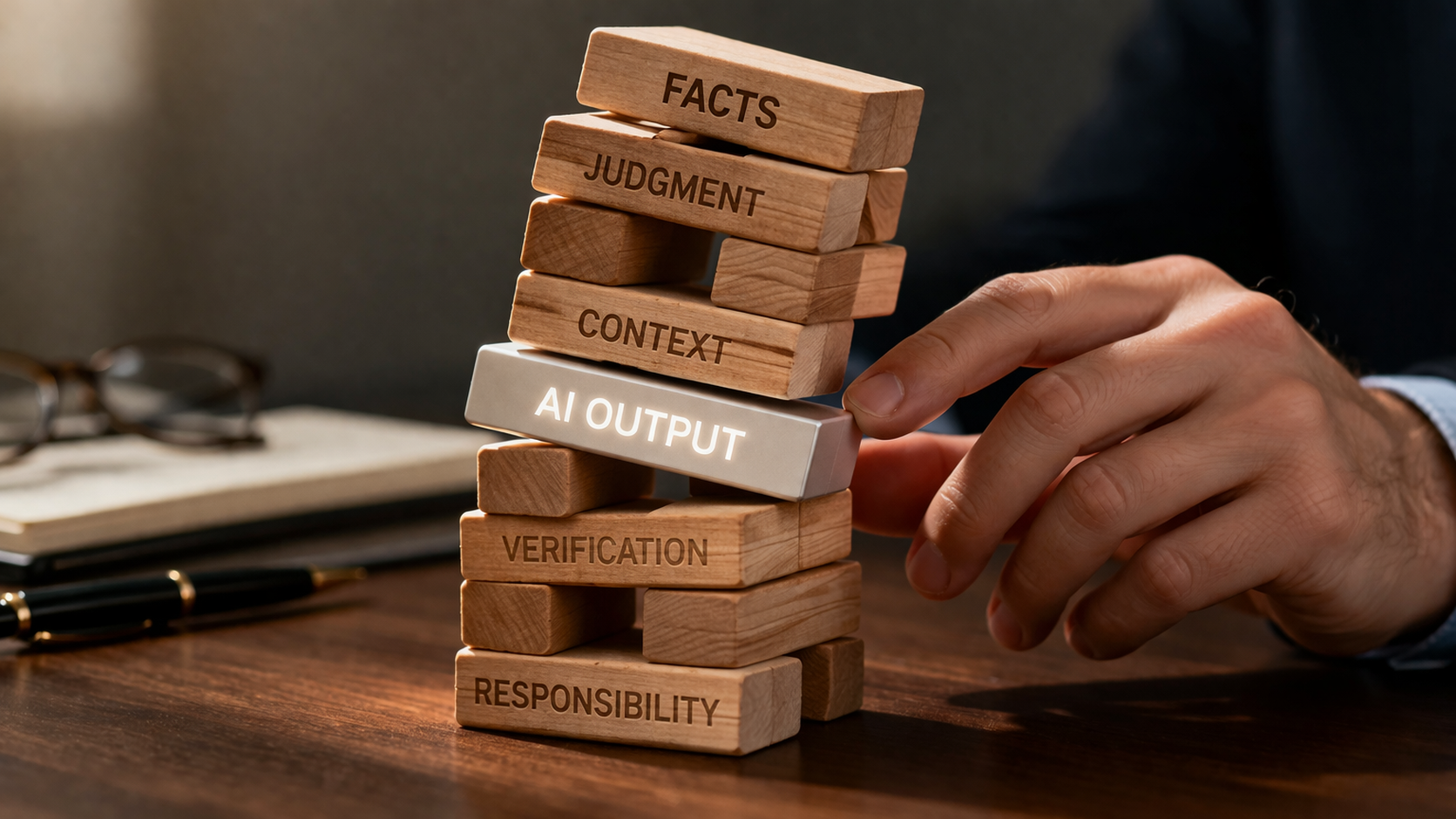
Generative AI feels intelligent because it is fluent, fast, and confident, but those same traits make it dangerous in judgment-heavy work. I have been heavily testing generative artificial intelligence models since they first became available and have seen the same patterns repeat themselves. Not marketing failures or “AI quirks,” but serious, structural failures that are easy to miss if you do not already understand the subject matter and know what should be present, what matters most, and what is missing. AI excels at preparation and fails at decision-making, often in ways that look correct until it is too late. This article explains what AI can reliably do, where it predictably breaks down, and how experienced professionals use it without delegating responsibility by accident. The central argument is simple: AI does not reduce the need for professional judgment; it concentrates it.
1. The One Thing Everyone Gets Wrong About AI
If you have experimented with AI long enough, you have probably had both of these reactions:
- “This is incredible, it just saved me hours.”
- “That answer sounded perfect… and it was completely wrong.”
Those two reactions are not a contradiction. They are the defining features of generative AI.
Most people misunderstand what kind of tool AI actually is.
AI Does Not Think, It Predicts
This is a simplified description, but it captures the behaviour that matters in practice.
Generative AI does not reason, verify, or understand consequences. It has no concept of what is true and no means of detecting when it is wrong.
At a mechanical level, a large language model does one thing: it predicts the next most likely word based on patterns in its training data and the text you give it.
That single fact explains everything about how AI behaves in practice:
- Why it sounds confident even when it is wrong
- Why it produces fluent nonsense (“hallucinations”)
- Why it performs brilliantly on some tasks and disastrously on others
- Why it struggles with judgment, ambiguity, and edge cases
AI is optimized for plausibility, not correctness.
Once you internalize that, most of the hype, and most of the fear, disappears.
Why AI Feels Smarter Than It Is
AI feels intelligent because it is exceptionally good at:
- Recognizing patterns
- Mimicking professional language
- Producing clean, well-structured output
- Responding instantly
Humans tend to equate fluency with understanding. AI exploits that instinct.
Fluency is not comprehension. A system can produce a perfect-looking answer without any awareness of:
- Context outside the document
- Stakes attached to the decision
- What matters versus what is merely included
- What information is missing
This is why AI can draft something that looks “done” while quietly omitting the one fact that actually matters.
The Dangerous Middle Ground
Most professionals understand two extremes:
- AI is not conscious
- AI is not magic
Where people get burned is the middle ground, where AI is just good enough to be trusted, and just bad enough to fail silently. This is how judgment gets delegated without anyone intending to delegate it.
This is where errors happen:
- A summary that omits dissent
- A draft that misses one mandatory disclosure
- A classification that routes a real complaint into a “routine” bucket
- A recommendation that looks reasonable but ignores critical context
In each case, the problem is delegated judgment, not the technology.
The Core Rule: Separate Preparation from Decision
AI is extraordinarily effective when it is used as a preparer:
- Reading large volumes of text
- Sorting and categorizing information
- Extracting structured data
- Producing first drafts
AI is dangerously unreliable when it is treated as a decider:
- Determining importance
- Weighing competing factors
- Interpreting ambiguity
- Making calls that depend on context, intent, or consequence
The moment you ask AI “What does this mean?” instead of “What does this contain?” you have crossed the line.
Why This Matters in the Real World
In professional settings like law, finance, compliance, governance, and advisory work, errors are rarely dramatic. They are subtle.
Most failures do not look like obvious nonsense. They look like:
- “Close enough”
- “Probably fine”
- “Looks consistent with last time”
AI is exceptionally good at producing outputs that fall into those categories.
This article is not about whether AI should be used. That question is already settled. AI is now embedded in everyday professional tools, often by default, which means failures by AI models are no longer hypothetical or rare.
The real question is: Which kinds of thinking can safely be delegated, and which absolutely cannot?
To answer that, you need a simple mental model of what AI can do well, what it does poorly, and where the risks actually live.
2. What AI Is Good At, What It Is Bad At, and Why That Matters
Once you understand that generative AI predicts language rather than reasons about outcomes, a useful pattern emerges very quickly. AI fails in consistent, predictable ways.
The practical question is not whether AI is “accurate.” The question is whether the task you are giving it matches the type of work it is mechanically capable of doing.
The Core Insight
AI performs well when the task is:
- Pattern based
- Repetitive
- Constrained to the information provided
- Answerable in a single pass
AI performs poorly when the task requires:
- Context outside the document
- Multiple dependent steps
- Judgment or prioritization
- An understanding of consequences
This distinction explains why AI can review hundreds of documents in minutes and still miss the one thing that matters.
Why Reading and Sorting Work So Well
AI is exceptionally good at tasks that look like reading, even when the volume is enormous.
Examples include:
- Classifying documents into predefined categories
- Routing emails based on subject and tone
- Identifying whether a document contains certain types of clauses
- Flagging the presence or absence of specific language
These tasks succeed because they rely on surface patterns. The AI is not required to understand meaning. It only needs to recognize familiar structures.
This is why AI can reliably answer questions like:
- Is this a financing news release or an operational update?
- Does this contract contain a change of control clause?
- Does this email contain complaint language?
In practice, these uses often achieve accuracy rates that exceed what humans achieve when fatigued or overloaded.
Why Judgment and Evaluation Fail
Where AI breaks down is not in reading, but in deciding what matters.
Judgment requires information that is rarely present in the text itself:
- History
- Intent
- Market expectations
- Risk tolerance
- Trade-offs between competing outcomes
AI does not have access to any of that unless it is explicitly provided, and even when it is provided, AI has no mechanism for weighing it.
For example, AI can list the factors that go into a decision. It cannot decide which factor should dominate.
This is why AI can explain what materiality means, but cannot reliably decide whether something is material. It can describe suitability criteria, but it cannot determine whether a specific recommendation is suitable for a specific person in real life.
The failure mode is subtle. The output often looks thoughtful and balanced. It is just not grounded in real context.
Why AI’s “Memory” Is Not What It Appears to Be
AI does not remember information in the way humans do. It does not build durable understanding over time, and it does not know which facts should be retained and which should be discarded. What is often described as memory is really temporary context. Information is weighted based on proximity, emphasis, and recent framing, not importance.
This has practical consequences. Facts introduced early can quietly dominate later analysis. Details introduced late may be underweighted or ignored. If something is not explicitly restated or reinforced, AI does not reliably carry it forward.
As a result, tasks that depend on stable understanding across time, evolving context, or selective recall are poor candidates for delegation. AI can recall what it has been shown, but it cannot judge what should be remembered.
The Four Task Types That Matter
In practice, nearly every professional use of AI falls into one of four categories. The risk profile of the task depends entirely on which category it belongs to.
1. Classification
Classification means assigning something to a predefined category.
Examples include:
- Routing emails as routine, urgent, or complaint related
- Categorizing documents by type
- Identifying whether a transaction fits a known pattern
This is where AI performs best. The task is single step and pattern driven. When errors occur, they are usually easy to detect and correct through spot checks.
2. Extraction
Extraction means pulling specific information out of unstructured text.
Examples include:
- Names, dates, and amounts from documents
- Specific clauses from contracts
- Required disclosure items from a filing
This works well because the AI is not asked to interpret the information. It is asked to locate it.
The risk is not that the AI invents information. The risk is that it misses something unusual or misreads a poorly drafted section. This makes verification essential, but the efficiency gains are still substantial.
3. Summarization
Summarization is where risk increases.
Summaries are compressions. Compression always involves loss. The question is what gets lost.
AI is very good at summarizing structure. It is less reliable at preserving nuance, dissent, emphasis, and uncertainty.
This is why AI summaries often sound neutral and decisive even when the underlying material is contested or unresolved.
Summarization can be useful, but it must always be treated as a draft for review, not as a substitute for reading.
4. Judgment
Judgment involves deciding what something means, what matters most, or what should be done.
Examples include:
- Determining importance or materiality
- Assessing suitability or appropriateness
- Interpreting ambiguity
- Making trade-offs under uncertainty
This is the no-go zone.
AI has no internal model of consequences. It cannot feel risk. It cannot be accountable. When asked to exercise judgment, it will produce a confident answer that reflects statistical norms, not real-world stakes.
Why Most AI Failures Feel Surprising
AI failures tend to catch people off guard because the output rarely looks wrong. The problem is false completeness, not nonsense.
AI answers feel finished, polished, and professional. That creates a powerful temptation to stop thinking.
The more fluent the output, the more dangerous that temptation becomes.
The professionals who use AI safely do not trust it because it sounds smart. They trust it only for the specific types of work it is known to do well.
The Practical Rule
Before using AI for any task, ask one question:
Does this task require deciding, or only preparing information for a decision?
If the answer is deciding, AI should not be used to reach the conclusion. It may still be used to gather inputs, but the judgment must remain human.
This distinction is the foundation for everything that follows. It explains why AI can feel so capable while failing quietly in the background. To see how this plays out in practice, we need to look at the specific tasks where AI actually delivers value.
3. Where AI Actually Delivers Value
AI is most valuable when it replaces volume, not judgment.
The strongest use cases are not glamorous. They do not involve “deciding” anything. They involve reading, sorting, and extracting at a scale that humans find tedious and error prone.
When used this way, AI does not feel like a risk. It feels like relief.
High-Value Use Case 1: Classification at Scale
Classification is the act of assigning inputs to predefined categories.
Examples include:
- Sorting emails into routine, urgent, or complaint related
- Categorizing documents by type
- Identifying whether a transaction follows a known pattern
This is where AI consistently outperforms humans in real workflows.
Humans are good at classification in small volumes. Performance degrades quickly with repetition. AI does not get tired. It applies the same pattern recognition on the thousandth item as it does on the first.
The value is not just speed. It is consistency.
Used properly, AI can reduce large volumes of undifferentiated material to a manageable subset that deserves human attention.
The key point is that classification does not require understanding meaning. It requires recognizing structure and tone. That is exactly what AI is built to do.
High-Value Use Case 2: Extraction from Unstructured Material
Extraction is about pulling specific facts out of text.
This includes:
- Names, dates, and amounts
- Contractual terms
- Required disclosure elements
- Repeated data fields across many documents
Humans read documents to find these facts. AI scans them.
The mechanical advantage here is enormous. What takes a human minutes per document takes AI seconds across hundreds of files.
Extraction works because the task is objective. The AI is not asked whether a clause is important. It is asked whether the clause exists and what it says.
Errors do occur, particularly with unusual drafting or poor document quality, but those errors are easy to detect if verification is focused on the extracted items rather than the entire document.
This is one of the few areas where AI regularly delivers order-of-magnitude efficiency gains.
High-Value Use Case 3: First Drafts and Structural Drafting
AI is very effective at producing first drafts when the structure is known and the content is bounded.
This includes:
- Routine document updates
- Standard form communications
- Summaries of known inputs
- Reformatting content into a required structure
The value here is not creativity. It is momentum.
AI removes the blank page problem. It turns a drafting task into an editing task.
That distinction matters. Editing engages judgment. Drafting often does not.
The mistake is assuming that a clean draft is a finished draft. The benefit comes when AI handles structure and language, leaving humans to focus on accuracy, emphasis, and intent.
High-Value Use Case 4: Flagging and Screening
AI is also effective as a screening tool.
It can:
- Flag the presence of risky language
- Identify missing components
- Highlight inconsistencies across documents
- Surface items that deserve a closer look
This works because screening does not require certainty. It requires coverage.
AI is good at asking, “Does this look like something I have seen before that caused a problem?”
It is not good at deciding whether the problem matters.
Used as a filter rather than a judge, AI becomes a force multiplier rather than a liability.
What All Successful Uses Have in Common
The most effective users do not ask AI to replace expertise. They ask it to clear away the work that prevents expertise from being applied where it actually counts.
Across these use cases, a clear pattern emerges. AI works when the task is narrow, the output is intermediate rather than final, and the human remains responsible for conclusions. It adds the most value when it clears away volume so expertise can be applied where it actually matters.
The problem is that these same strengths make AI easy to trust in situations where it should not be trusted. To understand the real risk, we need to look at where AI predictably breaks down, often in ways that are not obvious at first glance.
As a general rule, where a task can be described with verbs like sort, extract, flag, or draft, AI is likely to add value. Where it requires deciding, assessing, interpreting, or approving, human judgment must close the loop.
4. Where AI Predictably Breaks
AI rarely fails in dramatic or obvious ways. Most failures are quiet.
The most dangerous failures are not hallucinations that look absurd. They are outputs that look reasonable, complete, and professional, but are wrong in ways that matter.
They show up in the same places, for the same reasons, across industries and use cases.
Failure Pattern 1: False Completeness
AI is very good at producing outputs that feel finished.
A summary looks balanced, a draft looks polished, and a checklist looks complete.
The problem is that AI has no internal sense of importance. It does not know which missing detail invalidates the whole result.
This leads to a common failure mode: the output covers most of what matters, but omits the one thing that actually drives the outcome.
Examples include:
- A summary that captures discussion but misses dissent
- A draft that includes standard elements but omits a critical condition
- A checklist that confirms many items but overlooks the only one that is mandatory
Humans tend to trust outputs that look complete. AI exploits that instinct without meaning to.
False completeness is dangerous because it discourages further review. The cleaner the output, the easier it is to move on.
Failure Pattern 2: “Close Enough” Errors
AI does not understand thresholds.
It does not know when ninety percent correct is acceptable and when it is catastrophic. It treats all accuracy as incremental improvement.
In many professional settings, being almost right is worse than being obviously wrong.
A single incorrect assumption can invalidate an entire analysis; one mischaracterized point can alter how a document is read.
AI has no way to recognize those inflection points. It optimizes for average correctness, not decisive correctness.
This is why AI performs poorly in tasks where a single error dominates the outcome.
Failure Pattern 3: Collapsing Nuance Into Certainty
AI is uncomfortable with ambiguity.
When information is incomplete or contested, humans often say “it depends” or “we need more context.” AI rarely does.
Instead, it fills the gap with the most statistically plausible answer.
The result is output that sounds decisive even when the underlying situation is not.
This is especially dangerous in summaries and evaluations. Subtle distinctions get flattened, tension reads as resolution, and discussion appears to have become decision.
The more nuanced the source material, the more careful the human review must be.
Failure Pattern 4: Context Blindness
AI only knows what is in front of it.
AI has no access to history unless it is provided, no knowledge of intent unless explicitly stated, and no awareness of what was discussed offline, what was implied, or what the parties already understood.
This leads to confident outputs that ignore critical background.
Two documents may appear inconsistent to AI when they are not. Or they may appear consistent when the difference lies in what is not written.
Context blindness is a structural limitation, not a bug.
Any task that depends on shared understanding, institutional memory, or unspoken assumptions is risky to delegate.
Failure Pattern 5: Delegated Judgment by Accident
The most common and most dangerous failure does not involve a bad prompt or a bad model.
It involves workflow drift.
AI produces an output, it looks reasonable, and time pressure does the rest.
At no point does anyone consciously decide to delegate judgment. It simply happens.
This is why AI failures are often hard to trace after the fact. There is no moment where responsibility clearly shifted; it simply faded.
Once AI output becomes familiar, it stops feeling provisional and starts feeling authoritative.
That is the moment when errors stop being caught.
What This Looks Like in Practice
These failure modes are easier to understand when seen in context. The examples below are not edge cases. They are the predictable result of treating fluent output as finished work.
Example 1: The Summary That Erased Dissent
A board meeting runs long and covers several contentious issues. Management asks for a summary to be circulated quickly.
An AI tool is used to summarize the transcript and produces a clean, neutral document. It accurately captures the topics discussed and the resolutions that passed.
What it does not capture is that one director explicitly opposed a key decision and requested that their dissent be noted.
The summary reads as if the decision was routine and unanimous.
No one notices the omission. The summary is approved and circulated. Months later, when the decision is questioned, the record no longer reflects what actually happened.
The AI did not hallucinate or fabricate. It compressed, and in doing so removed the only detail that mattered.
This is false completeness in its most dangerous form.
Example 2: The Contract Review That Was “Mostly Right”
A team uses AI to extract key terms from a large set of contracts as part of a transaction review. The tool identifies termination provisions, change-of-control clauses, and notice requirements.
The output is clean and well structured. Ninety percent of the contracts are correctly flagged.
One contract, however, contains a non-standard clause that triggers an obligation only if two conditions are met. The AI extracts the first condition but misses the second, which is buried in a cross-reference.
The summary suggests the clause is benign. It is not.
Because the output looks complete and consistent with the rest of the dataset, the error is not caught during review. The problem only surfaces later, when the obligation is triggered.
Again, the AI did not invent anything. It missed something subtle and the system around it treated “close enough” as acceptable.
Example 3: The Confident Answer That Should Have Been a Question
A professional asks an internal AI assistant whether a particular action is permitted under an existing policy.
The AI responds quickly and confidently, citing language that appears to support the conclusion.
What it does not do is flag that the policy contains an exception that depends on context not present in the question. A human reviewer, seeing a confident answer that “sounds right,” does not dig further.
The failure was not a wrong answer but an answer that should have been a question, and a workflow that did not require anyone to ask whether it should have been.
Why These Failures Are Hard to Detect
All of these failure modes share a common trait. They do not announce themselves; they sound like competence, look like efficiency, and reward speed. That is why they pass through systems unnoticed until something breaks.
The real risk is not that AI makes mistakes but that people stop treating its output as provisional. Once AI output begins to feel familiar and reliable, judgment starts to drift without anyone deciding to let it go.
Preventing this does not require better models. It requires better workflow design. In the next section, we will look at how experienced professionals structure their use of AI so that preparation scales, but judgment remains firmly human.
5. Using AI Without Fooling Yourself
Once you accept that AI is good at preparation and bad at judgment, the next problem is behavioural, not technical.
Most failures do not happen because someone deliberately delegated a decision to AI. They happen because the workflow was designed in a way that made delegation feel natural.
The output looked complete, the answer sounded reasonable, and no one stopped it.
This section is about how experienced professionals avoid that trap.
The Bounded Delegation Rule
Every safe AI workflow follows the same structure:
- AI prepares
- A human decides
This is not a slogan. It is a design requirement.
If your system allows AI output to be published, executed, or relied on without a human verification step, the system is unsafe regardless of how accurate the model claims to be.
The goal is to concentrate human effort where it actually adds value, not merely to slow things down.
Designing Workflows That Force Thinking
The safest AI workflows do not rely on good intentions. They rely on structure.
Consider the difference between these two approaches:
Unsafe approach: Ask AI to review a document and confirm that it is compliant, accurate, or complete.
Safer approach: Break the task into steps that AI can perform mechanically, then require a human to assess the result.
For example, instead of asking: “Is this document complete?”
Ask:
- What type of document is this?
- What disclosures are required for this type?
- Which of those disclosures are present?
- Which are missing or ambiguous?
AI can answer each of those questions. It cannot answer whether the result is acceptable. A human needs to assess the results of each step: is the answer correct, or is something missing or out of place?
The difference may feel subtle. In practice, it is everything.
Sequential Tasks Beat Complex Prompts
One of the most common mistakes people make is trying to get AI to do everything in one pass.
Long, complex prompts feel efficient. They are not.
AI performs best when tasks are broken into small, sequential steps. Each step should have a narrow objective and a clear output.
This mirrors how experienced professionals manage junior staff. You do not ask a junior associate to “review this deal and tell me if it is fine.” You ask them to extract facts, identify issues, and flag uncertainties.
The same logic applies to AI.
Short, focused prompts reduce hallucination risk, improve consistency, and make verification easier.
Context Windows and Accumulated Bias
There is another reason sequential tasks outperform complex prompts, and again, it has nothing to do with prompt skill.
Generative AI operates within a limited context window. It can only “see” a finite amount of text at one time, and every new answer is influenced by what already sits in that window.
As prompts get longer, two things happen.
First, important details compete with irrelevant ones for attention. The model does not know which facts matter most unless you force that prioritization explicitly. Critical information can be diluted simply by volume.
Second, bias accumulates. Each answer builds on the assumptions and framing of the previous one. If an early step is slightly wrong, incomplete, or misframed, that error is carried forward and reinforced. Later answers may become more fluent and more confident, but they are anchored to a flawed starting point.
This is why long, multi-part prompts often feel productive at first and then quietly drift off course.
Breaking work into discrete steps limits this effect. Each step resets focus. Each output can be reviewed, corrected, or discarded before it shapes what comes next.
In practice, this means:
- Avoid asking AI to “consider everything above” and then draw conclusions
- Treat each step as provisional, not cumulative
- Restart the context window (new chat session) when moving from preparation to evaluation
- Do not assume that more context produces better answers
Sequential workflows are not just easier to verify. They are more resilient to hidden errors that compound over time.
A related risk arises when AI tools are configured to retain context across sessions through features often described as “skills,” “agents,” or project folders. Persistence increases efficiency by carrying assumptions forward, but it also allows early framing choices and subtle errors to compound over time. When AI is allowed to remember prior conclusions, those conclusions can quietly harden into defaults. This is useful for preparation tasks, but dangerous when judgment is involved. Persistent context should be treated as a convenience, not as a substitute for fresh review.
Verification Is Not a Formality
Verification is not reading quickly. It is not rubber stamping. It is not trusting the model because it has been right before.
Verification means actively trying to disprove the AI output.
If AI extracts a clause and says “no change of control,” verification means opening the document and checking that exact point.
If AI summarizes a meeting, verification means confirming that decisions, dissent, and unresolved issues were captured accurately.
If AI flags something as low risk, verification means spot checking enough low-risk outputs to ensure nothing important is being missed.
The professionals who get the most value from AI assume that some percentage of outputs are wrong. They design workflows to catch those errors systematically.
Why Confidence Is a Warning Sign
Human intuition is poorly calibrated for AI.
When AI expresses uncertainty, people double check. When AI sounds confident, people relax.
This is backwards.
AI confidence is a function of language probability, not correctness. The most dangerous errors often appear in the most fluent answers.
A useful habit is to treat confident, polished outputs as higher risk, not lower risk.
If an answer feels too clean, that is the moment to slow down.
Before relying on any AI output, three things should be confirmed:
- What specific task did the AI perform (classification, extraction, summarization)?
- What assumption would cause the most damage if it were wrong?
- Who explicitly reviewed that assumption?
The False Efficiency Trap
AI makes it easy to move fast. That creates a new kind of risk.
When tasks that once took hours now take minutes, there is a temptation to skip the review step because “it is probably fine.”
This is where most professional failures occur.
Time saved by AI should not be banked as speed. It should be reinvested in verification.
The paradox is that AI increases productivity only when it is paired with more disciplined thinking, not less.
The Practical Test
Before relying on any AI output, ask yourself one question:
If this turns out to be wrong, will I be comfortable explaining how I used the AI and how I checked it?
If the answer is no, the workflow is not ready.
If the answer is yes, you are likely using the tool correctly.
In practice, this means:
- AI output is never final
- Verification targets the highest-risk assumptions
- Confident outputs trigger more scrutiny, not less
- Time saved is reinvested in review
6. Professional Judgment in the Age of AI
AI changes the economics of professional work, but it does not change its nature.
Tasks that once consumed hours can now be completed in minutes. Reading, sorting, extracting, and drafting no longer define professional value the way they once did; judgment does.
AI Compresses Time, Not Responsibility
AI creates speed by removing friction. It clears away volume and collapses the distance between inputs and outputs.
What it does not do is absorb responsibility.
When something goes wrong, no one asks how fast the draft was produced. They ask who decided it was acceptable. That question never points to the software.
AI can prepare, assist, and surface information that would otherwise be missed. It cannot own outcomes.
This is not a moral statement. It is a structural one.
Why Judgment Becomes More Valuable, Not Less
As AI handles more of the mechanical work, the remaining work becomes more concentrated.
Fewer people will be needed to read every page. Fewer people will be needed to draft from scratch. But the people who remain must be able to recognize when something is off, incomplete, or misframed.
Judgment is no longer spread evenly across the process. It sits at specific points, and failure at those points matters more.
This is why overreliance on AI carries a long-term risk that is easy to miss. If people stop practising judgment because the system feels reliable, they lose the very skill required to supervise it.
You cannot effectively review what you no longer understand.
The Skill Atrophy Problem
There is a temptation to treat AI as a replacement for early-career work. Summaries, first drafts, comparisons, and reviews are often seen as training tasks.
They are also how professionals learn what good looks like.
If people never struggle through the underlying material, they never develop the intuition needed to catch subtle errors later. They become dependent on outputs they cannot truly evaluate.
The irony is that AI requires stronger professionals, not weaker ones. The tool is unforgiving of passive users.
Models will improve and context windows will expand. None of that changes the core distinction in this article. Preparation scales with computation. Judgment does not.
The Enduring Rule
After all the examples, all the workflows, and all the caveats, the rule is simple:
- Use AI to reduce volume. Never use it to replace judgment.
- If a task ends in a decision, a human must own that decision.
- If the output feels finished, treat it as provisional.
- If the answer sounds confident, slow down.
Where This Leaves Us
AI functions as a stress test of professional work, not a threat to it.
It exposes whether systems are well designed, whether people understand what they are responsible for, and whether the judgment they claim to exercise is real.
Used carefully, AI is effective leverage. Used without discipline, it creates risk that looks like efficiency.
The professionals who benefit most will not be the ones who automate the most, but those who understand precisely where automation must stop.
That line has not moved.
AI has simply made it easier to cross without noticing.
The test is simple: if you would not be comfortable defending a decision without mentioning AI, you should not be relying on it.